I tested the 6 best personal music players on Android, and this is the one I’m sticking with
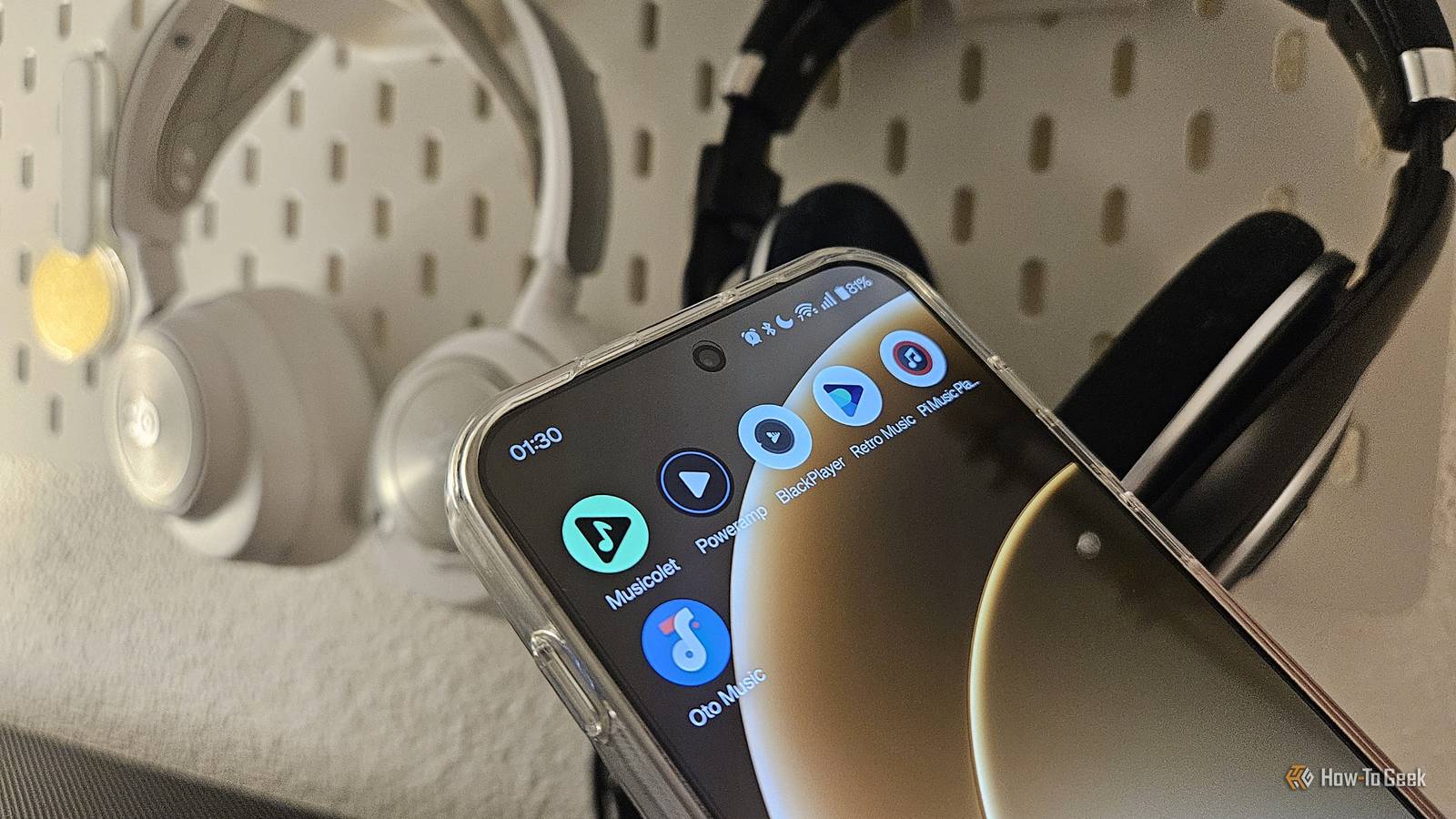
Since Google replaced the popular Google Play Music with YouTube Music, I’ve been on the hunt for the perfect offline music player—and the market is full of options. While I love listening to music (and it’s something I do for many hours every day), my criteria for picking the right app are surprisingly simple.
I need something that’s intuitive to use, free, doesn’t include any ads, and works with Android Auto. I looked at a bunch of different options, narrowed it down to a few music players, and after trying them all, I’ve decided which one I’m sticking with.
Poweramp is the classic power user’s choice
Powerful but somewhat overwhelming
If you went on Reddit a decade ago and asked what the best Android music player app was, nine out of ten comments would say “Poweramp Music Player.” This is fully justified, as for the longest time, Poweramp has been the go-to for music aficionados with extensive music libraries.
There are many things to like about the app. Every little part of it is extremely customizable. For instance, Poweramp’s default seek bar looks absolutely horrible and makes skipping through a song more difficult than it needs to be, but you can change it to a regular one. You can also change the theme, style, and general layout to make it look much more modern. That’s just the tip of the iceberg, as the number of things you can change in the settings is near endless. Also, the built-in equalizer is one of the best and most extensive on the market.
One of my main gripes with Poweramp that I never managed to “fix” is the app’s behavior when I swipe to close the active player. Instead of taking me back to the previous menu (e.g., my list of songs or the album I’m listening to), the back gesture exits the app altogether.
Also, another major caveat with Poweramp is that it’s actually a paid app. The free version that you can download expires after 15 days, completely locking you out. To get the full version, you have to pay $7.99 through the app or $10.00 for the Poweramp Full Version Unlocker—it’s a steep price, but it gets occasional discounts, and you get to keep it forever.
Pi Music Player likes to keep things simple
Simple, clean, but missing a key feature
If you prioritize simplicity, Pi Music Player is an excellent choice, as it’s very simple and the general layout is intuitive out of the box. Despite being so minimalist, Pi Music Player offers a few different themes, including a cool gloss theme and, fortunately, my go-to pick, a black theme that’s optimized to drain less battery thanks to AMOLED.

How to Maximize Your Phone’s Battery Health
Slow down your battery decay.
As far as the rest of the settings are concerned, Pi Music Player’s offering is somewhat basic, but it gets the job done. A unique feature you don’t see often in music players is the ringtone cutter, which allows you to select and cut up a song to use as a ringtone directly in the app. The equalizer is also rather basic, but at least it’s there, and it even includes a bass boost slider, virtualizer, and reverb effects if you like to spice up your listening sessions.
One of the main drawbacks of Pi Music Player is its lack of Android Auto support, which is a deal-breaker if you don’t want to use a separate player in your car. The free version also contains ads, which can be removed for less than $1.00. If you’d like more background themes, you can upgrade to the Pro version for $1.15.
That said, there are many other free music players that don’t contain any ads, so unless you really love how this app looks and feels, it’s hard to justify paying for this one when there are better free options with Android Auto support.
Oto Music is what I imagine Google Play Music would look like today
Modern design with a well-thought-out user experience
One look at Oto Music’s interface is enough to tell you that this app was built to blend seamlessly with your other apps instead of trying to stand out. Its excellent Material You design and accompanying widgets make it feel like it came straight out of Google’s app design studio. Animations feel modern, every virtual button and interface element looks and behaves as you’d expect, and all the navigation gestures just make sense–it’s reminiscent of the Google Pixel software experience.
Despite the sleek design and built-in equalizer with bass boost and surround sound sliders, the app manages to be ultra lightweight—the latest version only takes up 6.8MB, which is absolutely tiny, even compared to other players.
Frankly, there’s little that I don’t like about this simple app. If I have to nitpick, it’s got to be that the folders shortcut can’t be added to the bottom tabs on the free version—you have to pay $3.48 to get Oto Music+, which also unlocks more themes, a more advanced 10-band equalizer, and a few other features. But even if you don’t pay for the app, the experience is amazing and completely ad-free.
Retro Music Player is highly customizable, but it lacks an equalizer
Very stylish but somewhat limited
Retro Music Player includes many of the same modern design touches as Oto Music, including the Material You color palette and animations that make interface elements pop into focus. At the same time, it has its own identity that makes the app feel distinct from other players.
While it’s not as customizable as something like Poweramp Music Player, Retro Music Player still has quite an impressive list of options that you can configure. It has pretty much everything you’d expect, but there’s also a feature that brings back the old-school permanent notification that music players used to display on older versions of Android, in place of the newer Quick Settings panel.
There’s also an easily accessible Drive Mode that increases the size of the media buttons and places them in the center of the screen—something I’ve found handy when I’m on the treadmill.
One of the “big” features missing from Retro Music Player is a built-in equalizer. Apparently, there used to be one that the developer removed a while back, with the equalizer option in the app taking you to your phone’s built-in equalizer if it has one instead.
That said, I have to praise the free app experience here. The $1.68 premium version only adds a few cosmetic options, with all the functional features remaining completely free to use.
BlackPlayer is a minimalist’s app that’s showing its age
A minimalist classic that’s showing its age
BlackPlayer Music Player is far from the most popular music player on the Play Store, but it’s still one of my favorites. I’ve been using it for years for a simple reason—it just works. Every action and button behaves exactly how you expect, and there’s a healthy number of options you can customize in the settings as well. The built-in equalizer, sound effects, and left-right sound balance strike a great balance between useful audio tweaks and simplicity.
The app’s design is very basic, and while there are some custom themes in the free version (more if you pay), it lacks modern touches like Material You.
While I could look past the dated design, what I can’t forgive are BlackPlayer’s various software issues that have appeared and never been fixed over the years. Both the free and paid versions have received a ton of 1-star reviews, resulting in a 3.7-star rating for the free app and 2.8 stars for the paid version.
Also, the free version contains fairly unobtrusive ads, and you can only get rid of them if you pay $3.07 for BlackPlayer Ex, which you probably shouldn’t.
Musicolet is functional minimalism at its best
Feature-rich but not the most intuitive
Musicolet Music Player is one of the best free music players on the Play Store, period.
The app has pretty much all the basic features you need, with the equalizer being one of the standout features. Namely, you can set a different equalizer for your phone’s built-in speakers and any other connected audio devices, which is incredibly useful if you use multiple pairs of headphones that you want to fine-tune, or if you just want to configure how the phone speaker sounds without affecting the headphone experience.
While Musicolet’s design and animations feel rather basic, and custom color palettes through Material You aren’t available, the app’s design still deserves praise because it offers a completely free AMOLED theme, which is quite often a paid feature.
To be honest, the only complaint I have about this app is that you have to swipe up and down to change songs instead of left and right. To make things worse, you have to put some real “effort” into the gesture, because if you remove your finger too soon, it won’t trigger the action. I know it sounds like a small thing to nitpick, but given how often I swipe to change songs every day, it was a deal-breaker for me personally.
Oto Music is my new top pick (but you’ve got options)
After years of using Google Play Music and then BlackPlayer Music Player, I’ve finally decided to give a new app a shot—and while no app is perfect, Oto Music gets the closest for my personal preferences.
If you think that Oto Music is a bit too basic, you have other options. Poweramp Music Player still remains one of the most highly customizable music players on the market if you’re willing to pay for it (and don’t mind the way its UI looks), while Musicolet Music Player remains an excellent free alternative.

4 Free Offline Music Player Apps For Android With No Ads
Less skipping, more listening.
link